Table of Contents
- AI Agent vs Chatbot: What's the Difference?
- Why No-Code AI Agents Fail (And How to Avoid It)
- Best No-Code AI Platforms: 4 Stacks to Choose From
- Workspace AI Agents: Best for Internal Teams
- AI Automation Agents: Best for Cross-App Workflows
- Conversational AI Platforms: Best for Customer Support
- Claude Agent SDK Platforms: Best for Monetization
- How to Build an AI Agent: 10-Step Blueprint
- Step 1: Define Your Agent's Specific Job
- Step 2: Set Agent Autonomy Level (How Much Control?)
- Step 3: Write Your One-Page Agent Specification
- Step 4: Convert Your SOPs Into Agent Routines
- Step 5: Design Clear Tool Definitions
- Step 6: Write Your System Prompt (Use This Template)
- Step 7: When to Use Multi-Agent Architecture
- Step 8: Implement Agent Safety Guardrails
- Step 9: Create Agent Evaluation Tests (Evals)
- Step 10: Deploy and Monitor Your AI Agent
- Real AI Agent Examples You Can Build This Week
- Example A: Lead Qualifier + Scheduler Agent
- Example B: Document Analysis Agent
- Can You Monetize AI Agents with Custom GPTs?
- AI Agent Cost Calculator: Token Pricing Guide
- Current Anthropic API Token Pricing (Official)
- Practical Budgeting Rule
- AI Agent Security Checklist (Must-Have Protections)
- 1. Prompt Injection Defenses
- 2. Least Privilege Data Access
- 3. Auditability
- 4. Platform Hygiene
- AI Agent Launch Checklist (Ready to Deploy?)
- How to Build and Monetize Agents on Agent37
- What Agent37 Provides Out of the Box
- The Agent37 Workflow in Practice
- When Agent37 Makes Sense for Your Use Case
- What Makes a World-Class AI Agent
- Frequently Asked Questions
- Next Steps: Start Building Your AI Agent Today

Do not index
Do not index
If you're searching "build an AI agent without coding," you're not just curious. You're trying to get real work done without hiring engineers, spinning up infrastructure, or duct-taping five different tools together.
You want something that can:
• Qualify leads, update your CRM, and book calls automatically
• Turn messy documents into decision-ready briefs (think RFPs, contracts, SOPs)
• Answer customer questions and take real actions like processing refunds or escalating issues
• Run repeatable workflows from start to finish (research, draft, check, deliver)
• Work through your existing tools (email, calendar, Slack, Notion, Sheets)
• Eventually become a product you can ship, embed on your site, or charge for
This guide walks you through the step-by-step process using no-code and "prompt-code" approaches with tools that exist right now in early 2026.
AI Agent vs Chatbot: What's the Difference?

Capability | Chatbot | AI Agent |
Decision Making | Responds to inputs | Decides next actions |
Tool Access | Limited or none | Uses multiple tools |
Operation Mode | One-shot responses | Loops until completion |
Autonomy Level | Reactive | Proactive |
That "loop" concept is central. Agents run until they reach an exit condition (successful tool call, final output, error state, or max turns).
A chatbot answers your question and stops. An agent keeps working until the job is done.
A modern agent system is typically built from:
• Instructions (system prompt plus routines and edge case handling)
• Tools (data retrieval, action execution, orchestration capabilities)
• Orchestration (single agent or multi-agent patterns)
• Guardrails (permissions, approval flows, limits, security controls)
• Evaluation (testing plus real conversation review)
If your "agent" can't read files, call tools, or execute actions, you probably have a chatbot rather than a true AI agent. That can still be valuable, but it's a different product category entirely.
The AI agent vs chatbot comparison guide provides a clear breakdown of chatbot versus agent capabilities (and when each is the right choice for your use case).
Why No-Code AI Agents Fail (And How to Avoid It)
Most no-code agent attempts crash for one of these five reasons:
① The job isn't defined clearly
You can't build an agent for "helping my business." You need something specific like "qualify inbound leads and book calls with qualified prospects."
② The agent has too many permissions too early
Giving your agent access to everything "just in case" is how you end up with expensive mistakes or security incidents.
③ Tool definitions are sloppy
Ambiguous tool names and descriptions lead to the agent picking the wrong tool at the wrong time.
If a new teammate would be confused by your tool naming, your agent will be too.
④ No evals, no baseline, no iteration plan
You can't improve what you don't measure. Without evaluation systems, you're flying blind.
⑤ No "what happens when it's wrong?" design
Real systems need handoff protocols and escalation paths. What happens when your agent encounters something it can't handle?
Good agents aren't "built" in a single session. They're specified carefully, then iterated based on real performance data.
Best No-Code AI Platforms: 4 Stacks to Choose From
Before you build anything, pick the right stack for your specific needs. In 2026, "no-code agent" can mean four very different things:

Workspace AI Agents: Best for Internal Teams
If your work lives in Google Workspace or Microsoft 365, these are powerful starting points:
Google Workspace Studio (introduced December 3, 2025) gives you a place to create, manage, and share agents that automate work in Workspace. No coding required. (Workspace Updates Blog)
Microsoft Copilot Studio (docs updated December 15, 2025) provides a graphical, low-code tool for building agents and flows with connectors to your data sources. (Microsoft Learn)
Best when:
→ You need internal productivity agents
→ Governance and permissions matter significantly
→ You want native integration with corporate data sources
Watch-outs:
• Distribution outside those ecosystems can be limited
• Monetization workflows aren't their focus
AI Automation Agents: Best for Cross-App Workflows
These platforms tie agents directly to automation ecosystems:
Zapier Agents let you create agents that automate tasks using Zapier's vast app ecosystem. Their agent-building documentation was updated December 19, 2025.
Research shows that comprehensive documentation hubs for agentic automation (including tools, best practices, and detailed configuration guidance) are becoming standard across the industry.
Best when:
→ Your agent's "hands" need to be SaaS apps (CRM, email, Slack, Google Sheets)
→ You want quick deployment for business workflows
Watch-outs:
• Security depends heavily on which tools you connect
• Costs can explode if you don't control steps, history, and token usage (industry experts recommend setting explicit limits)
Conversational AI Platforms: Best for Customer Support
These tools focus on conversational UX, routing logic, and channel management:
Conversational AI platforms offer pay-as-you-go and scaled plans with governance features and analytics for customer-facing interactions.
Best when:
→ You need customer support bots with structured conversation flows
→ You care about multiple channels (web chat, WhatsApp, SMS, voice)
Watch-outs:
• You may still need logic design even without code
• Tool actions can get tricky without strong guardrails in place
Claude Agent SDK Platforms: Best for Monetization
This is the "I want a real agent but don't want to run infrastructure" path.
Anthropic's ecosystem matters here:
The Claude Agent SDK (renamed from Claude Code SDK) gives you the same agent loop, tools, and context management that power Claude Code itself. It's programmable in Python and TypeScript.
Hosting it is non-trivial because it maintains conversational state and executes commands in a persistent environment. This is very different from stateless API calls.
Agent Skills are modular "folders of instructions, scripts, and resources" that Claude can load dynamically. Anthropic published them as an open standard (update noted December 18, 2025).
If your goal is to deploy and monetize a professional agent without managing infrastructure, that combination is worth exploring.
How to Build an AI Agent: 10-Step Blueprint
This is the core of the guide. If you follow these steps carefully, you'll end with an agent you can deploy and trust.
Step 1: Define Your Agent's Specific Job
Do not start with "an agent for my business." That's too vague.
Instead, start with this format:
Examples of good job stories:
• "When a new lead fills out our contact form, the agent qualifies them against our criteria and books a sales call if they match."
• "When a contract PDF is uploaded, the agent produces a risk assessment memo and redline suggestions within 10 minutes."
Success criteria must be measurable:
- Time saved per week
- Conversion rate lift
- Error rate threshold
- SLA response time targets
Step 2: Set Agent Autonomy Level (How Much Control?)
A good no-code agent starts with controlled autonomy, not full autonomy.
Here's the ladder:
Level | Description | Best Use |
Level 0 | Answer only (no tools) | Information lookups |
Level 1 | Suggest actions (human executes) | High-stakes decisions |
Level 2 | Act with approval | Moderate risk actions |
Level 3 | Act autonomously in sandbox | Routine workflows |
Level 4 | Long-running projects | Complex, multi-session work |
If you're customer-facing, start at Level 1 or 2 unless you have extremely strong guardrails in place.
Step 3: Write Your One-Page Agent Specification
AGENT NAME:
PRIMARY JOB:
WHO IT SERVES:
TRIGGERS (how it starts):
INPUTS (what it receives):
OUTPUTS (what "done" looks like):
SUCCESS METRICS:
NON-GOALS / FORBIDDEN ACTIONS:
ESCALATION RULES (when to hand off to a human):
TOOLS IT MAY USE (allowlist):
TOOLS IT MUST NEVER USE (denylist):
DATA IT CAN ACCESS (minimum necessary):
DATA IT MUST NEVER STORE/REVEAL:
TONE + PERSONA:
LEGAL/COMPLIANCE NOTES (if any):
COST BUDGET (per run / per user / per month):
VERSIONING NOTES:
Why this matters: It forces you to define boundaries before you grant power. Most agent failures happen because permissions were granted without clear boundaries.

Step 4: Convert Your SOPs Into Agent Routines
A high-performing agent is usually built from your existing SOPs, support scripts, policy documents, and checklists. You're converting tribal knowledge into LLM-friendly routines.
OpenAI's agent guide recommends: use existing documents, break down tasks, define clear actions, and capture edge cases.
Practical method:
① Gather the top 10 documents that explain "how this work is done today"
② Convert each into:
• A numbered routine (clear steps)
• Decision points ("if/then" logic)
• Edge-case handling rules
③ Store them as "policy/routines" in your agent's knowledge base (or as separate skills/modules depending on your platform)
Step 5: Design Clear Tool Definitions
Agents typically need three types of tools:
Data tools: Retrieve context (CRM lookup, read PDF, web search)
Action tools: Take actions (send email, update record, create support ticket)
Orchestration tools: Call other agents (research agent, writer agent, compliance checker)
Industry best practices emphasize that tool naming and descriptions are critical for correct tool selection. Experts recommend limiting data access to reduce risk exposure.
Make your tool descriptions extremely clear:
BAD: "get_data" - "Gets data from the system"
GOOD: "get_customer_profile_by_email" - "Retrieves customer name, tier, and last purchase date using their email address. Returns error if email not found."
Step 6: Write Your System Prompt (Use This Template)

Here's a system prompt skeleton that works across most platforms:
ROLE:
You are [agent name]. Your job is [one specific job].

OPERATING PRINCIPLES:
- Be correct over fast.
- Ask clarifying questions when required inputs are missing.
- Never guess on regulated, financial, medical, or legal advice. Offer education and recommend consulting a human expert.

WORKFLOW (YOUR ROUTINE):
1) Confirm the goal and required inputs from the user.
2) Gather necessary context using your approved tools.
3) Propose a plan in plain language before acting.
4) Execute actions only when allowed (and request approval if required).
5) Produce the final output in the required format.
6) Log what you did (brief summary) and what you didn't do (if relevant).

CONSTRAINTS:
- Forbidden actions: [specific list]
- Data rules: [specific list]
- Tool allowlist: [specific list]
- If unsure about anything: escalate to a human operator.


OUTPUT FORMAT:
- [exact format: bullets, JSON, memo, checklist, etc.]
Step 7: When to Use Multi-Agent Architecture
A common mistake is starting with multi-agent complexity right away.
OpenAI's guide recommends: maximize a single agent first. Split only when prompts become too complex or tools start overlapping in confusing ways.
When to split:
• Too many conditional branches make the system prompt unmanageable
• Tool confusion (similar tools being selected incorrectly)
• You need distinct "modes" (research mode vs execution mode vs compliance checking mode)
A practical multi-agent design:
Agent Role | Responsibility |
Manager | Talks to the user, orchestrates other agents |
Researcher | Gathers information, cites sources |
Operator | Executes actions and tool calls |
QA/Compliance | Checks outputs and identifies risks |
Agent37's multi-agent architecture supports this pattern natively with its main agent plus sub-agents structure. Each sub-agent gets its own prompt and handles specific tasks, while the main agent handles routing and orchestration.

Step 8: Implement Agent Safety Guardrails
This is where no-code builders get hurt. They ship autonomy without proper controls.
Use a layered approach:
Permission guardrails:
• Allowlist approved tools explicitly
• Require human approval for irreversible actions (payments, deletions, external communications)
Data guardrails:
• Implement least privilege data access (only what's needed)
• Avoid exposing full databases "just in case"
• Redact PII in logs when possible
Runtime guardrails:
• Cap steps per run (industry best practices recommend step limits to prevent infinite loops)
• Cap output tokens to control costs
• Cap conversation history depth (for both cost and privacy reasons)
Security guardrails:
• Defend against prompt injection attacks (especially with web content and file uploads)
• Don't let user "content" become agent "instructions"
OWASP's Top 10 for LLM Applications highlights prompt injection and sensitive information disclosure as major risks that must be mitigated in production systems.
Step 9: Create Agent Evaluation Tests (Evals)
This step separates toy projects from production systems.
OpenAI's guide recommends: set up evaluations to establish a baseline first. Then optimize cost and latency by swapping in smaller models where performance remains acceptable.
A simple eval setup (no-code friendly):
• 25 "golden" test conversations with clear pass/fail criteria
• 10 adversarial tests (prompt injection attempts, missing information, weird edge cases)
• Success criteria per conversation (pass/fail plus detailed notes)
If your platform provides eval tooling, use it. Platforms like Agent37 include built-in Evals systems designed specifically for reviewing real conversations and iterating based on actual failure modes you encounter in production.
Step 10: Deploy and Monitor Your AI Agent
Deployment is where many "no-code agents" die quietly.
You need:
→ A clear entry point (web chat widget, voice line, Slack integration, email trigger, form submission)
→ Onboarding UX that explains "what can I ask you?" clearly
→ Escalation paths for when the agent can't complete a task
→ Monitoring plus transcript review cadence (daily in week one, then weekly)
→ A versioning plan (v1.0, v1.1, rollback procedures)
Real AI Agent Examples You Can Build This Week

Example A: Lead Qualifier + Scheduler Agent
Goal: Turn inbound leads into booked sales calls with consistent qualification criteria.
Tools you need:
• Data tools: CRM lookup, calendar availability check
• Action tools: send email/text, create CRM record, book meeting
System prompt (short version):
You qualify inbound leads for our [specific offer].
You ask 3 to 6 questions maximum to determine fit.
If qualified based on our criteria, book a call on the calendar.
If not qualified, politely explain why and route them to a relevant resource.
Never promise specific outcomes or guarantees.
Guardrails:
• Never send emails without human confirmation (Level 2 autonomy)
• Never overwrite existing CRM fields; append to notes only
• If lead mentions legal, medical, or financial advice needs, escalate immediately to human
What success looks like:
- At least 20% of inbound leads reach "qualified" status
- At least 60% of qualified leads successfully book meetings
- Less than 2% require manual correction or intervention
Example B: Document Analysis Agent
Goal: User uploads a PDF and the agent outputs a structured brief with risks and recommendations.
This is where "skills" become important.
Anthropic describes Agent Skills as a way to equip agents with procedural knowledge and context, packaged as folders of instructions, scripts, and resources that agents can reference.
It's explicitly a portability move. Skills were published as an open standard in the December 18, 2025 update.
Important constraint to understand:
Anthropic's documentation notes that runtime constraints vary by surface. Via the Claude API, Skills have no network access and cannot install runtime packages during execution.
That means if your workflow needs external API calls or web scraping, you need a platform or runtime that explicitly supports those capabilities (or you design around the constraint).
Agent37's no-code angle here:
The platform positions itself around no-code agent building using prompts ("vibe coding" as they call it). It includes chat and voice interfaces out of the box, Stripe monetization with an 80/20 revenue split, plus built-in Evals so you can improve agents based on real usage data.
If your goal is to deploy and potentially monetize a document analysis agent, that infrastructure combination matters significantly.
Can You Monetize AI Agents with Custom GPTs?
A lot of people try to monetize through ecosystem marketplaces like OpenAI's GPT store.
Two important constraints as of early 2026:
• OpenAI's GPTs are built inside ChatGPT and can't be embedded directly into external products or websites in the same way you'd host your own standalone application.
• OpenAI's GPT monetization program ("builder earnings program") is still in limited testing with a small group of builders. Their FAQ was updated January 11, 2026.

So if your goal is:
"I want a shareable link, embedded UX on my site, trial periods, paywalls, and subscription management"
...you need infrastructure that actually supports those features.
This means you can actually sell access to your agent as a product, not just hope for discovery in a crowded marketplace.
AI Agent Cost Calculator: Token Pricing Guide
Even no-code agents incur LLM costs. These are either billed to you directly or passed through to your end users.

Current Anthropic API Token Pricing (Official)
Anthropic's pricing documentation lists current rates including:
Model | Input Cost | Output Cost |
Claude Sonnet 4.5 | $3 per MTok | $15 per MTok |
Claude Opus 4.5 | $5 per MTok | $25 per MTok |
Anthropic also highlights that Sonnet 4.5 pricing includes prompt caching and batch processing options with potential savings from intelligent caching and batch operations.
Practical Budgeting Rule
Estimate these variables:
• Average input tokens per run
• Average output tokens per run
• Runs per user per month
• Safety buffer (agents can be verbose, especially during debugging)
Then enforce limits:
Steps per run, conversation history depth, maximum output tokens. Industry experts recommend these controls to prevent runaway loops and unexpected cost explosions.
Example calculation:
Agent uses avg 5,000 input + 2,000 output tokens per run
Using Claude Sonnet 4.5: (5,000 × $3/MTok) + (2,000 × $15/MTok)
= $0.015 + $0.030 = $0.045 per run

If 100 users × 20 runs/month = 2,000 runs
Total cost: 2,000 × $0.045 = $90/month

Add 30% buffer for errors/retries: ~$117/month
AI Agent Security Checklist (Must-Have Protections)
If you skip this section, you're gambling with your reputation and potentially your business.

1. Prompt Injection Defenses
→ Separate "instructions" from "content" so user input can't override agent behavior
→ Treat web pages and uploaded documents as untrusted input by default
→ Use allowlisted tools and require explicit confirmation for risky actions
OWASP's LLM Top 10 provides a good baseline for risk categories including prompt injection and data leakage.
2. Least Privilege Data Access
→ Don't connect your entire Google Drive or entire CRM by default just because it's convenient
→ Make data retrieval tools narrow and specific (example: "get customer record by ID" not "export entire customer database")
3. Auditability
→ Keep execution logs showing which tool calls happened and in what order
→ Review conversation transcripts regularly (daily for first two weeks, then weekly)
→ Create an incident response plan even if it's lightweight (who gets notified, what gets paused, how to roll back)
4. Platform Hygiene
If you self-host parts of your stack (like automation engines or custom integrations), patching matters. Security researchers regularly disclose vulnerabilities in popular automation tooling.
Stay current with security updates for any infrastructure you control.
AI Agent Launch Checklist (Ready to Deploy?)

You're ready to launch when:
- Agent spec is written (one job, one measurable outcome)
- Inputs and outputs are clearly defined with examples
- Tool allowlist is in place (and tested)
- Approval flow exists for irreversible actions
- Maximum steps, token limits, and history limits are configured
- 25+ golden evaluation conversations pass at your target quality level
- 10+ adversarial tests don't break safety boundaries or expose sensitive data
- Handoff and escalation protocols are implemented and tested
- You have a monitoring cadence scheduled (daily reviews in week 1, weekly thereafter)
- Versioning and rollback plan exists and is documented
How to Build and Monetize Agents on Agent37
If you're specifically looking to build, deploy, and monetize an agent without managing infrastructure, here's how Agent37 fits into this guide:

To integrate manually:
- Review
images/screenshots/screenshot-agent37-home-001-www-agent37-com-1920x1080@2x.png
- If quality is acceptable and adds value, replace this placeholder with:
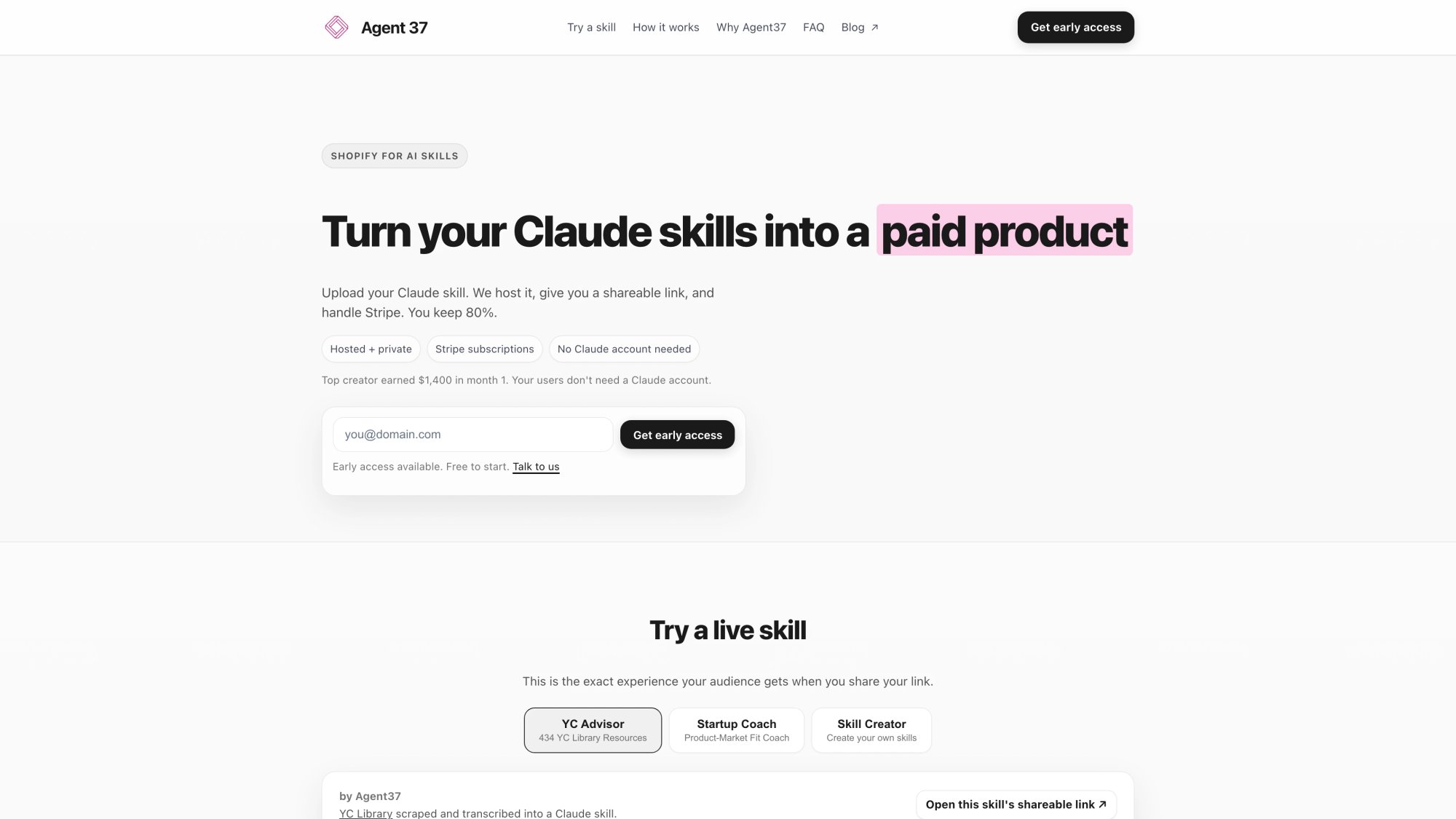- Otherwise, keep the existing workflow diagram as the primary visual
See
web-screenshots/captures/SC-01.md for detailed quality analysis and recommendations.What Agent37 Provides Out of the Box
No-code agent creation:
You define agents using prompts ("vibe coding" approach). Write what the agent should do in natural language. No node-based visual programming required.
Multi-agent architecture support:
Main agent handles routing and orchestration. Sub-agents handle specific tasks. Each sub-agent gets its own prompt and tools.
Built-in interfaces:
Every agent automatically gets both chat and voice interfaces. Voice includes optional voice cloning to match your speaking style.
Monetization infrastructure:
Built-in Stripe integration with 80/20 revenue split (creator keeps 80%). Trial periods with 10-20 free messages, then subscription required at your set price point.
Continuous improvement tooling:
Built-in Evals system for analyzing real customer conversations, identifying failure modes, and iterating systematically.
The Agent37 Workflow in Practice

Alternative approach:Since this is a platform-agnostic guide mentioning multiple solutions, consider whether a dashboard screenshot adds educational value or makes the content feel overly promotional. The existing AI-generated workflow diagram (image-13) may be sufficient for illustrating the process.
See
web-screenshots/captures/SC-02.md for detailed capture attempts and manual instructions.① Create an account through the platform dashboard
② Create an app and define your agent:
• Write your main agent prompt (the "job story" and operating principles)
• Define sub-agents if your workflow needs them
• Or upload existing Anthropic skills if you have them
③ Configure your agent:
• Choose your model (Claude Sonnet 4.5, Opus 4.5, etc.)
• Set your pricing (subscription model)
• Customize interface elements
• Configure MCP (Model Context Protocol) connections if needed
• Set up webhooks for external integrations
④ Deploy instantly:
You get a shareable link immediately. Users can start interacting via chat or voice.
⑤ Collect revenue:
Users get 10-20 free messages to try your agent. After that, they must subscribe at your set price. You receive 80% of subscription revenue.
⑥ Iterate using Evals:
Review real conversation transcripts. Identify where your agent succeeds and where it fails. Update prompts and tools accordingly. Repeat.
When Agent37 Makes Sense for Your Use Case
Best fit scenarios:
→ You want to avoid infrastructure management entirely
→ You value continuous improvement tooling (Evals)
→ You're building on Claude/Anthropic skills
Not the best fit if:
• Your agent needs to stay entirely within Google Workspace or Microsoft 365 ecosystems
• You need extremely custom UI/UX that can't be achieved through configuration
• You prefer visual node-based programming interfaces
• Your business model doesn't involve direct agent monetization
What Makes a World-Class AI Agent
Most content on this topic stops at "click here, add a prompt, connect a tool."
If you want to build something truly exceptional, focus on these differentiators:
① A narrow job plus deep routine mastery
Procedural excellence in one specific domain beats general capability every time. An agent that does one thing extremely well is more valuable than an agent that does ten things poorly.
② Evidence-based iteration
Use evals plus transcript analysis to identify specific prompt and tool improvements. "It feels better" isn't good enough. Measure actual performance metrics.
③ Security by design
Implement least privilege, approval workflows, and injection defenses from day one. Retrofitting security is expensive and risky.
④ Cost containment as a product feature
Use limits, caching strategies, and intelligent model routing. Your agent should be economically sustainable at scale.
⑤ Distribution plus onboarding excellence
Deploy where users already work. Provide clear UX that explains capabilities. Design strong handoff protocols for edge cases.
⑥ Monetization built in if you're selling
Trial periods that convert to paid subscriptions. Retention loops. Usage analytics that help you improve conversion.
Frequently Asked Questions

Q: Can I really build an AI agent without any coding experience?
Yes, but "no coding" doesn't mean "no thinking." The platforms we've covered (Google Workspace Studio, Zapier Agents, and Agent37) let you build agents using prompts and configuration. You're writing instructions in natural language instead of code. The hard part is still the same: defining the job clearly, setting proper boundaries, and iterating based on real performance.
Q: How much does it cost to run a no-code AI agent?
Costs vary widely based on your usage patterns. Token costs for Claude Sonnet 4.5 are 15 per million output tokens. A typical agent run might cost 0.10 depending on complexity. If you're processing 1,000 conversations per month, budget 100 in LLM costs. Platform fees (if any) are additional. Agent37 operates on a revenue share model (80/20 split) rather than upfront platform fees.
Q: What's the difference between building on Agent37 versus using ChatGPT Custom GPTs?
Custom GPTs live inside ChatGPT and can't be embedded on your own website or sold as standalone products. They're great for personal productivity but limited for monetization. Agent37 gives you deployable chat and voice interfaces, built-in Stripe monetization, trial periods, and the ability to use Claude's Agent SDK with full tool capabilities. If you want to sell access to your agent as a product, you need infrastructure that supports that business model.
Q: How do I prevent my agent from hallucinating or giving wrong information?
Use a combination of techniques: (1) Ground responses in specific documents and data sources using RAG, (2) Require citations for factual claims, (3) Use a narrow system prompt that defines exactly what the agent can and cannot do, (4) Implement approval workflows for high-stakes actions, (5) Run comprehensive evals to catch errors before they reach users, (6) Review conversation transcripts regularly and iterate on problem areas.
Q: Can I use my agent for customer support without risking my reputation?
Yes, with proper guardrails. Start at Level 1 or 2 autonomy (suggest actions or act with approval, don't act fully autonomously). Implement clear escalation paths to human agents. Use strict tool allowlists. Test extensively with adversarial scenarios. Monitor transcripts daily for the first few weeks. Have a rollback plan ready. Many companies successfully use chatbots for customer support while escalating complex or sensitive issues to humans.
Q: How long does it take to build and deploy a no-code agent?
A simple agent (like a lead qualifier) can be built and tested in a few hours. Getting it to production quality typically takes 1-2 weeks of iteration and eval refinement. Complex multi-agent systems can take several weeks to a few months depending on the scope. The actual platform work is fast. The iteration and quality assurance is where the time goes.
Q: What happens if Anthropic or OpenAI changes their pricing or API?
This is a real risk with any platform dependency. The best mitigation is to (1) Design your agent to be model-agnostic where possible, (2) Build strong evals so you can validate performance if you need to switch models, (3) Monitor your costs closely and set alerts, (4) Have contractual agreements with enterprise-tier providers if you're running at scale, (5) Consider platforms that abstract some of this complexity and can potentially absorb some model changes on your behalf.
Q: Can I train my agent on my proprietary data without it being used to train someone else's model?
Yes. Both Anthropic and OpenAI offer enterprise tiers with data privacy guarantees. Anthropic's terms state that your data isn't used to train models unless you explicitly opt in. When you upload documents to your agent's knowledge base in modern platforms, that data stays in your control and isn't shared for model training. Always review the specific data processing agreements for your chosen platform and tier.
Next Steps: Start Building Your AI Agent Today
If you're just exploring:
Start with Google Workspace Studio or Microsoft Copilot Studio if you're already in those ecosystems. Build a simple internal productivity agent. Learn the basics of prompt design and tool configuration.
If you're building for business workflows:
Try automation platforms to build agents that connect to your SaaS tools. Build a lead qualifier or document processor. Focus on one narrow job with clear success metrics. Run comprehensive evals before deploying to customers.
If you want to monetize your expertise:
Check out Agent37. Build an agent that productizes your coaching, consulting, or specialized knowledge. Use their built-in Stripe monetization and Evals system to iterate based on real usage.
If you're technical and want maximum control:
Work directly with the Claude Agent SDK or equivalent frameworks. You'll have more flexibility but also more infrastructure to manage. Consider this path only if you have specific requirements that no-code platforms can't meet.
The most important thing is to start with one specific job and make it work excellently. Don't try to build a general-purpose agent that does everything. Build something focused, iterate based on real data, and expand from there.
Your first agent won't be perfect. That's fine. Ship it at Level 1 or 2 autonomy, collect real conversation data, improve systematically, and gradually increase capability as your confidence grows.
The opportunity to build useful AI agents without coding is real and available right now in early 2026. The tools exist. The models are powerful enough. The infrastructure is ready.
What you build next is up to you.