

Video walkthrough
Prerequisites
- An Agent37 account and an OpenClaw instance
- Access to the instance Terminal
Step 1: Create a Telegram bot (BotFather)
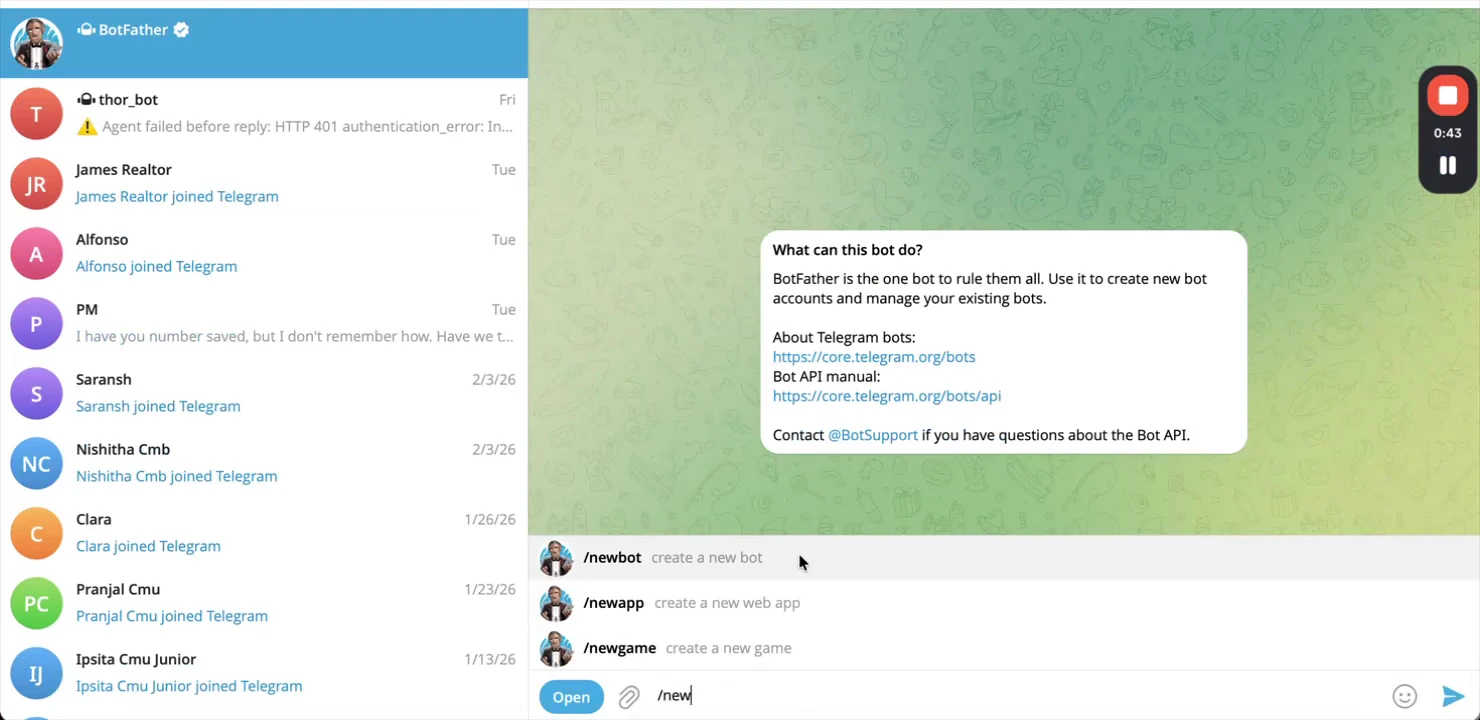
- Open Telegram and search for @BotFather.
- Start a chat and send
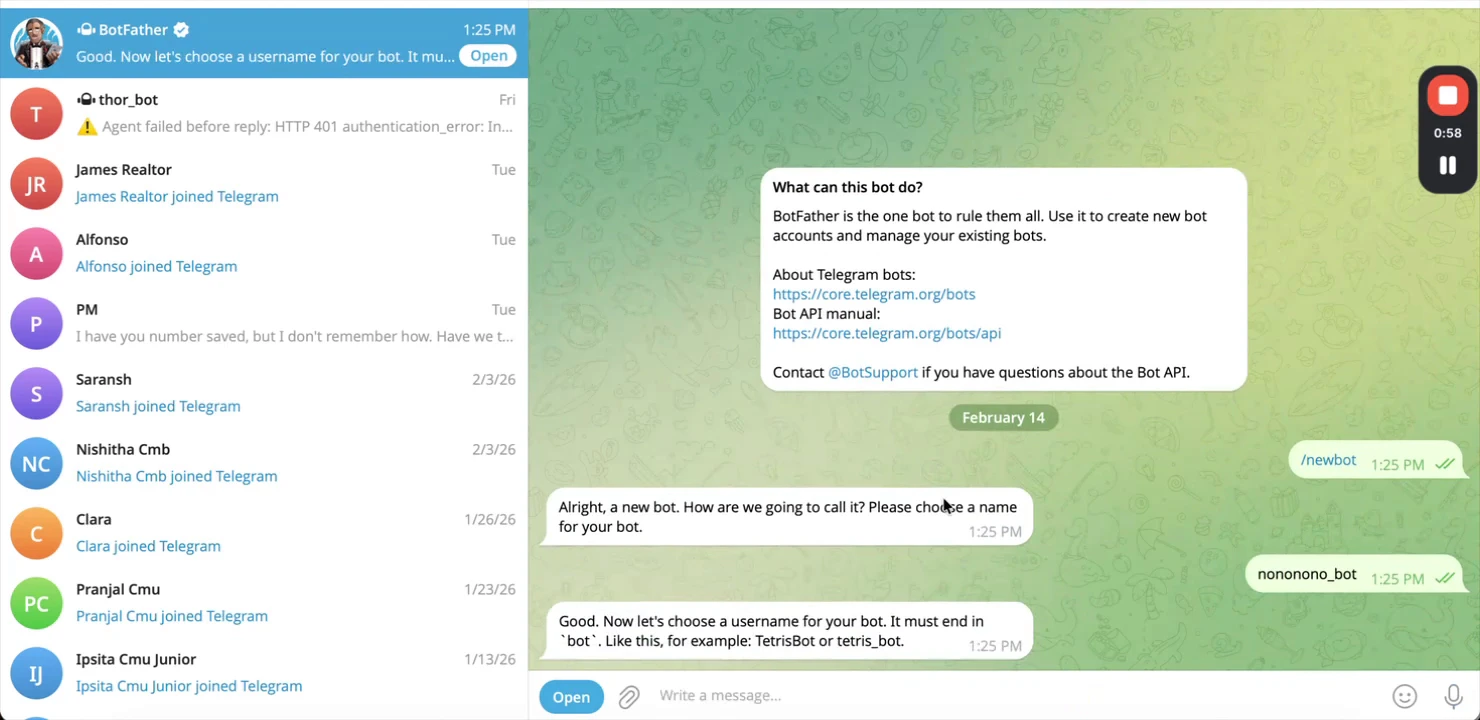
/newbot.- Give your bot a name (e.g., “My OpenClaw Assistant”).
- Give it a username (must end in
bot, e.g.,my_openclaw_assistant_bot).
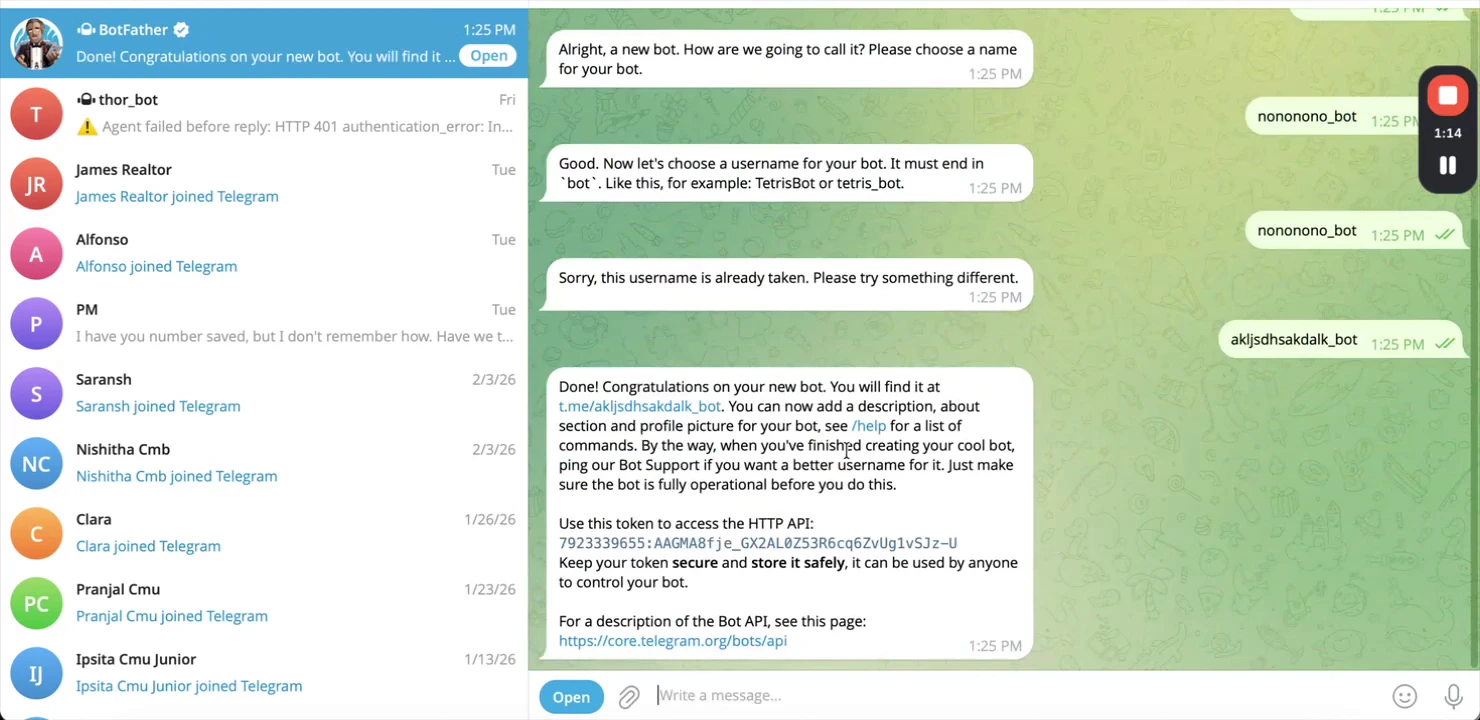
- Copy the Bot Token BotFather returns.
- This token is your API key. Keep it secret.
Step 2: Open the Agent37 Terminal
- Go to the Agent37 dashboard: https://www.agent37.com/dashboard
- Create an instance (or open an existing one).
- Open Terminal.
Step 3: Configure OpenClaw to use Telegram
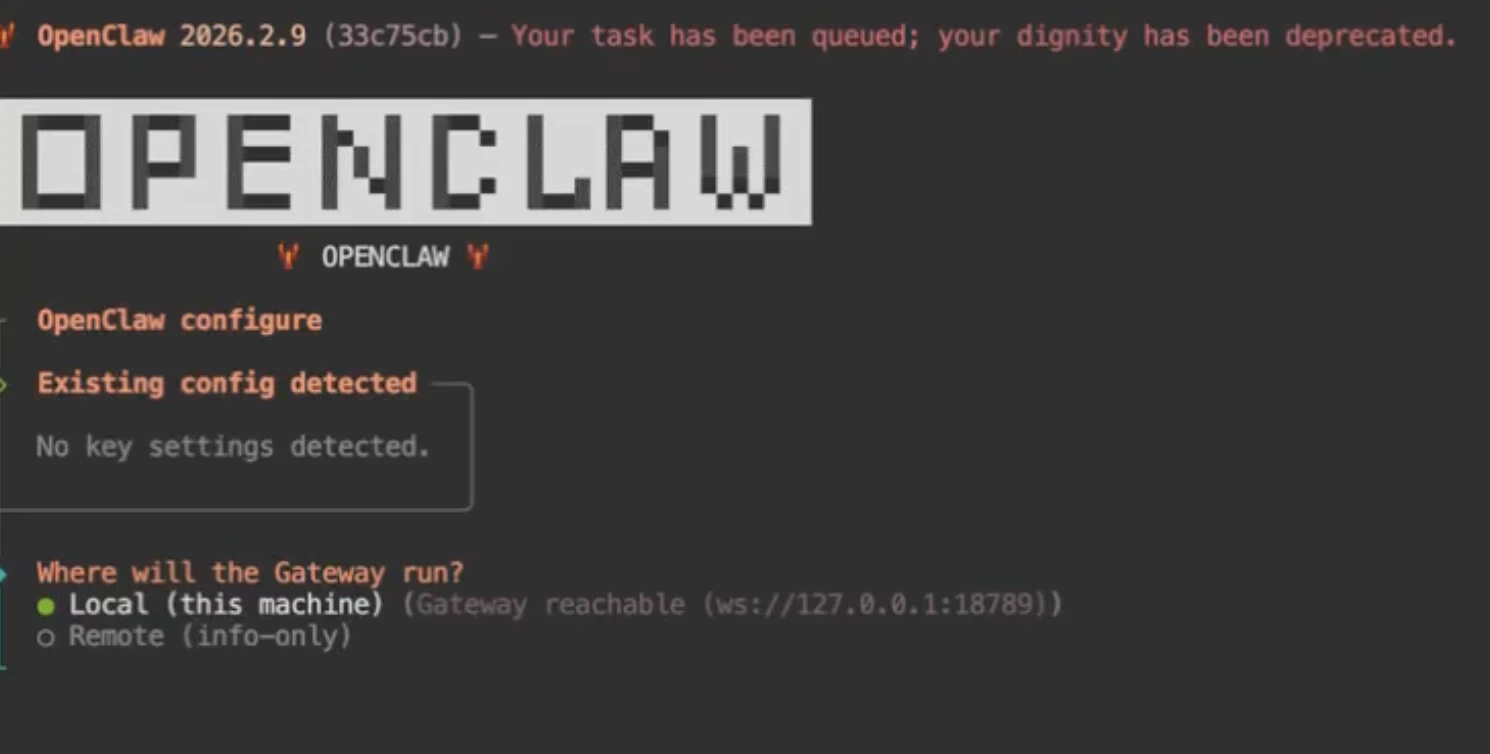
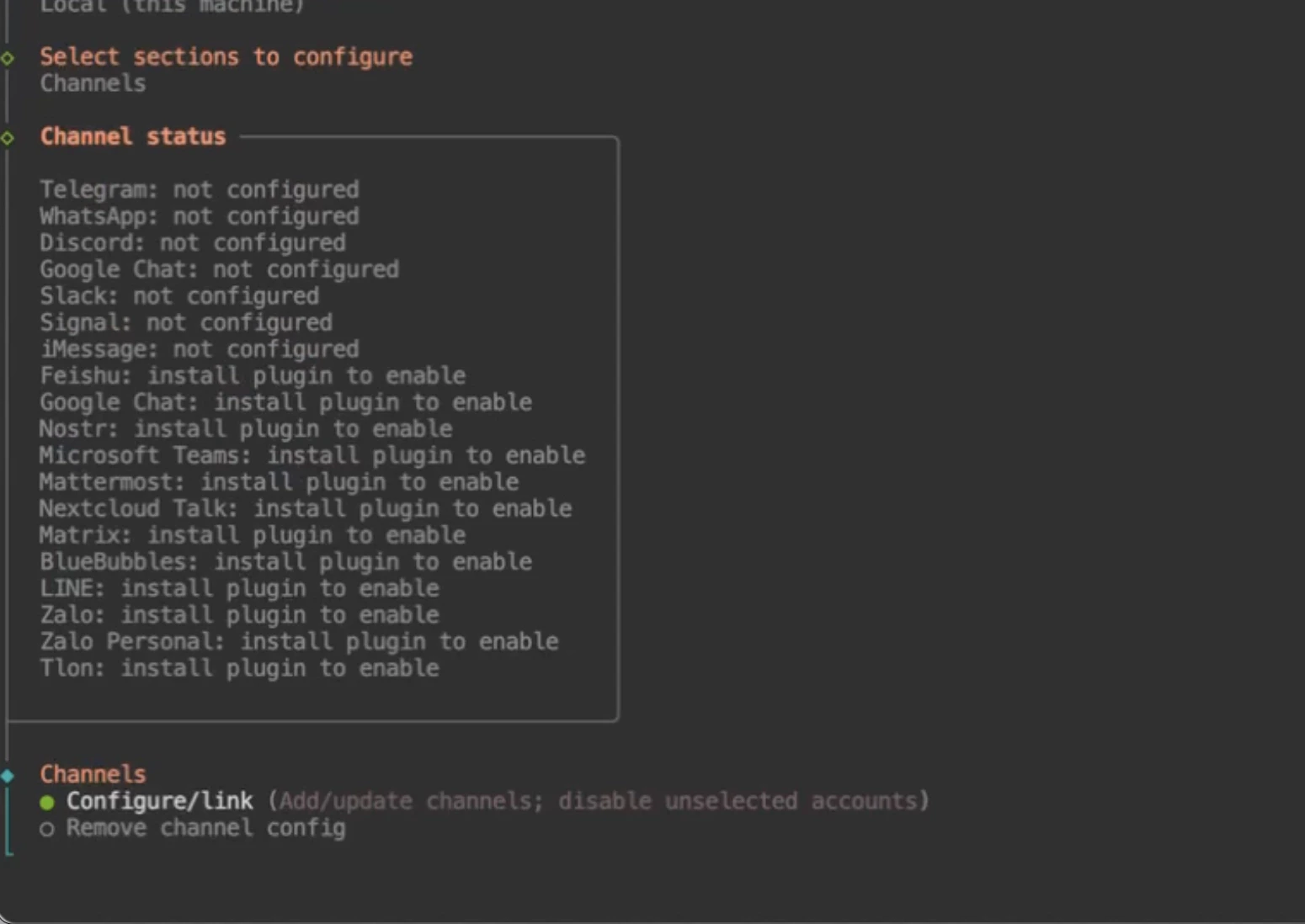
Run:- Where will the gateway run? → Select
Local - Select Section to Configure? →
Channel - Configure / Link
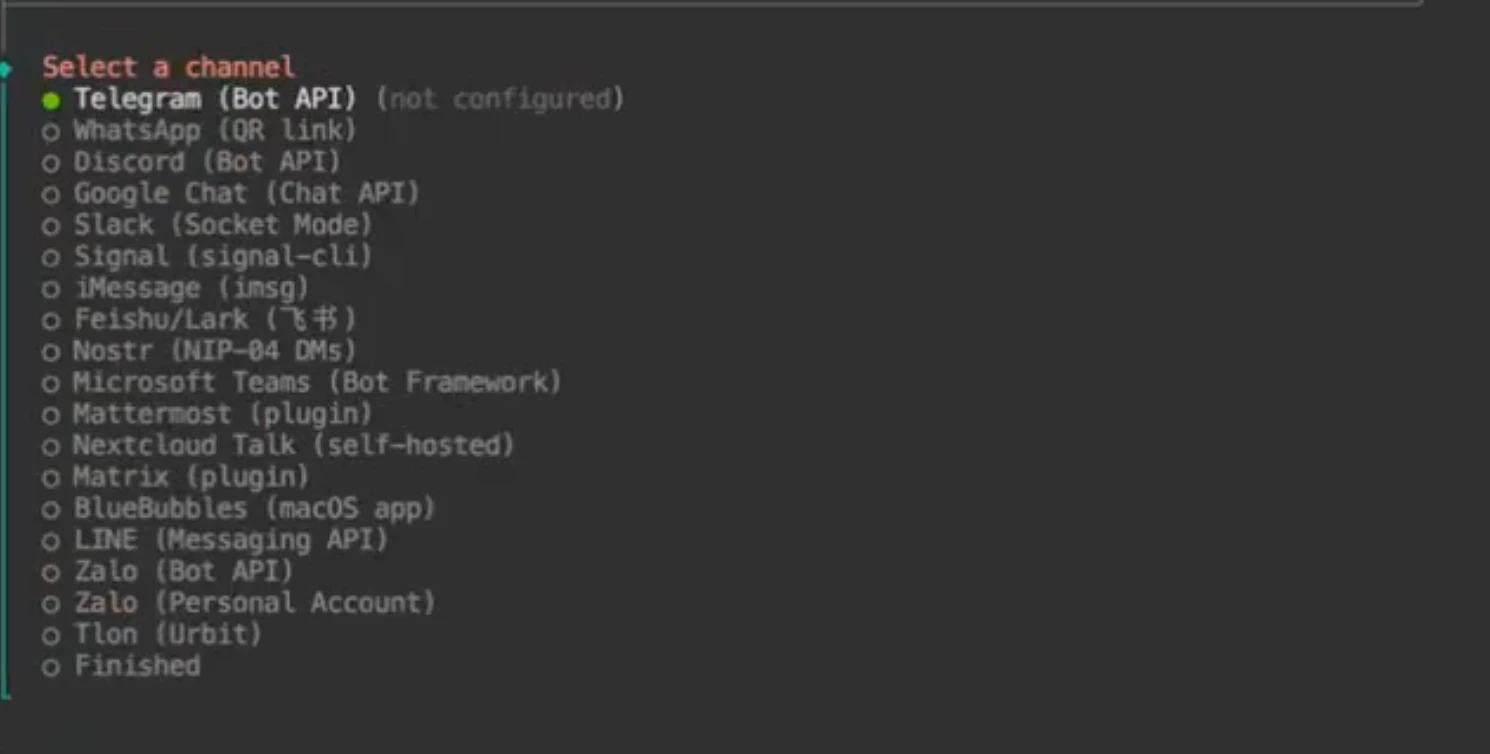
- Select Channel →
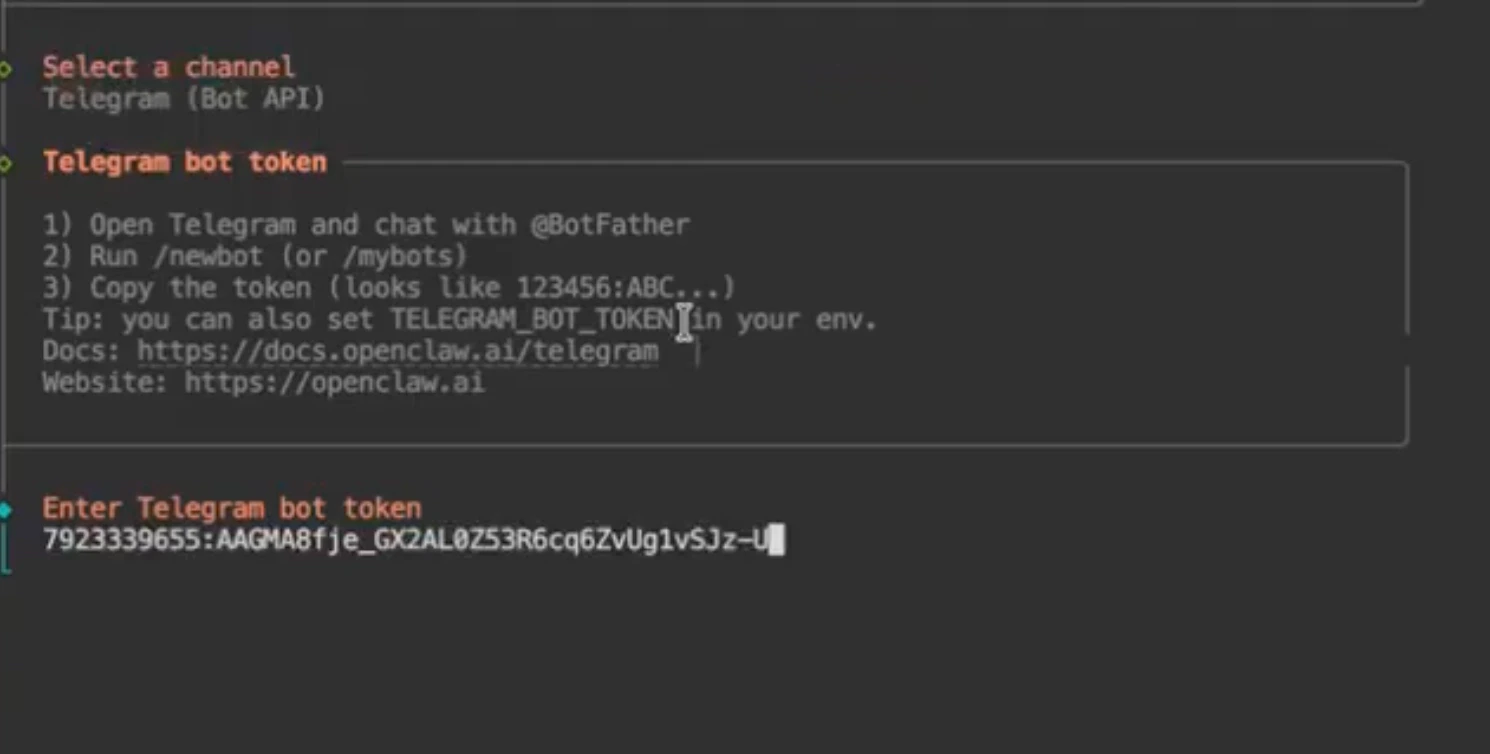
Telegram - Enter Telegram bot token → Paste the token you copied
- Navigate to
Finish→Continue
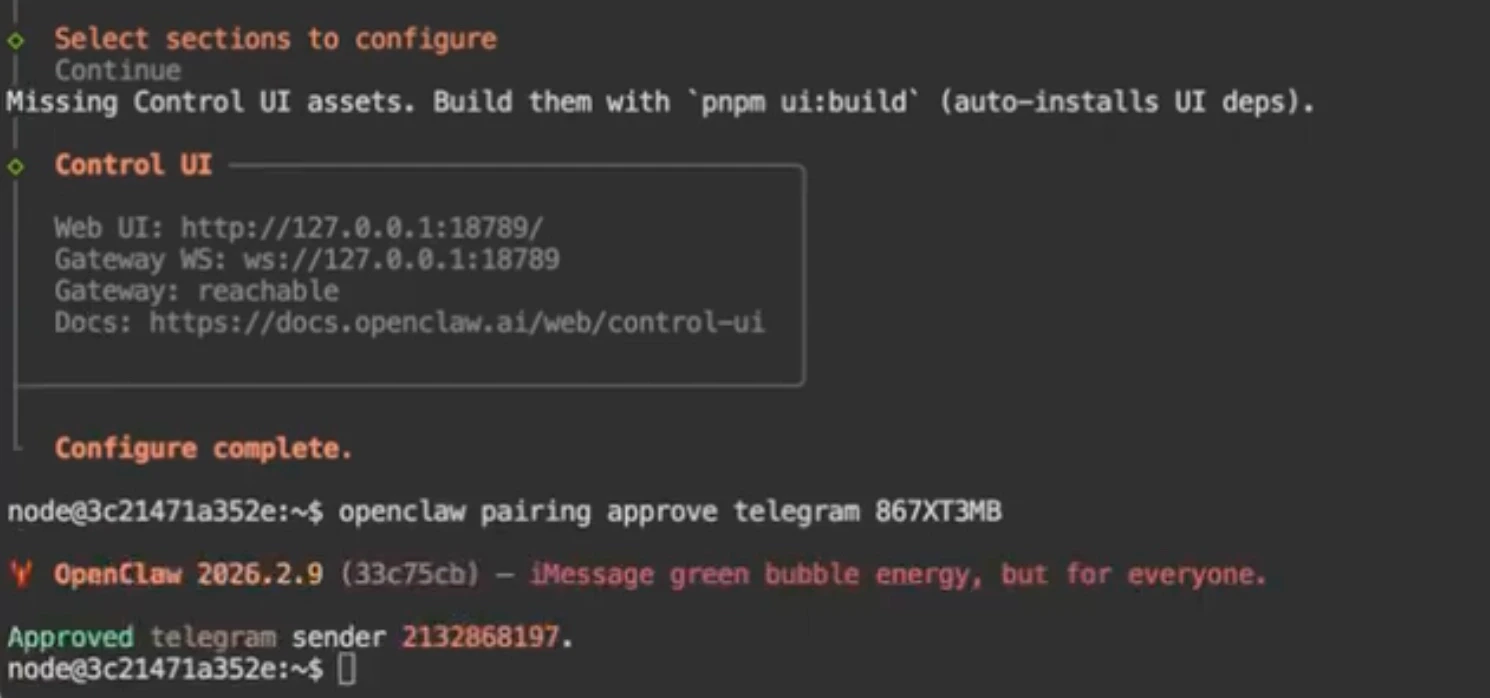
Step 4: Pair the bot (approve pairing code)
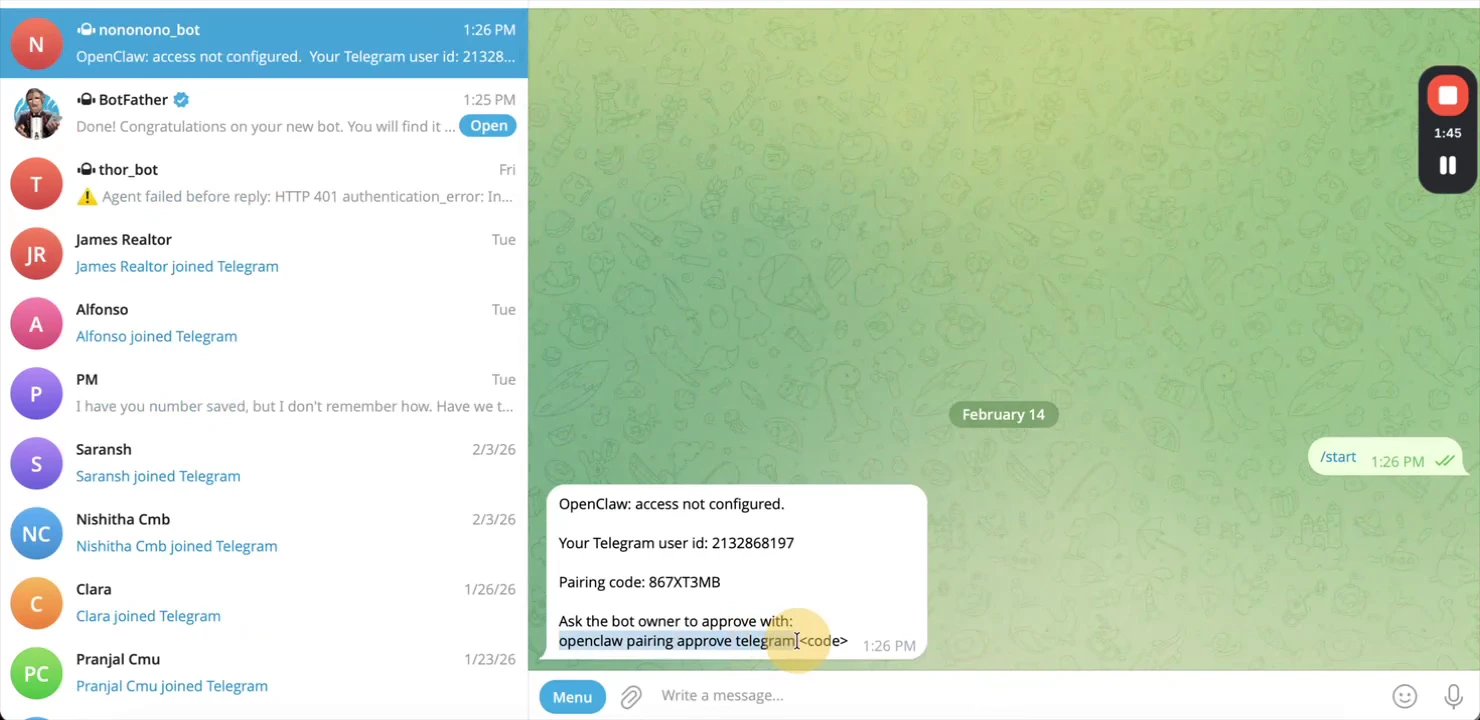
In Telegram, open your bot and send/start.
Step 5: Restart and test
- Start/restart your OpenClaw service so the bot connection becomes active.
- Send a message to your bot to confirm it responds.