> ## Documentation Index
> Fetch the complete documentation index at: https://www.agent37.com/docs/llms.txt
> Use this file to discover all available pages before exploring further.
# ngrok
> Expose a localhost app with ngrok so you can access it from the internet
ngrok creates a secure public URL that forwards traffic to a port running inside your Agent 37 terminal. That means your app can stay bound to `localhost` in the instance while still being reachable from the internet.
For example, if your app runs inside the Agent 37 terminal on:
```text theme={null}
http://localhost:3000
```
ngrok can create a public URL that forwards requests to that app.
## Step 1: Open the Agent 37 terminal
1. Sign in to the [Agent 37 dashboard](https://www.agent37.com/dashboard)
2. Open the instance where your app is running
3. Click **Terminal**
ngrok is already available in the Agent 37 terminal, so you can start from authentication and tunnel setup.
## Step 2: Add your authentication token
Before you continue, confirm ngrok is available:
```bash theme={null}
ngrok version
```
Then sign in to the [ngrok dashboard](https://dashboard.ngrok.com/get-started/your-authtoken) and copy your authtoken.
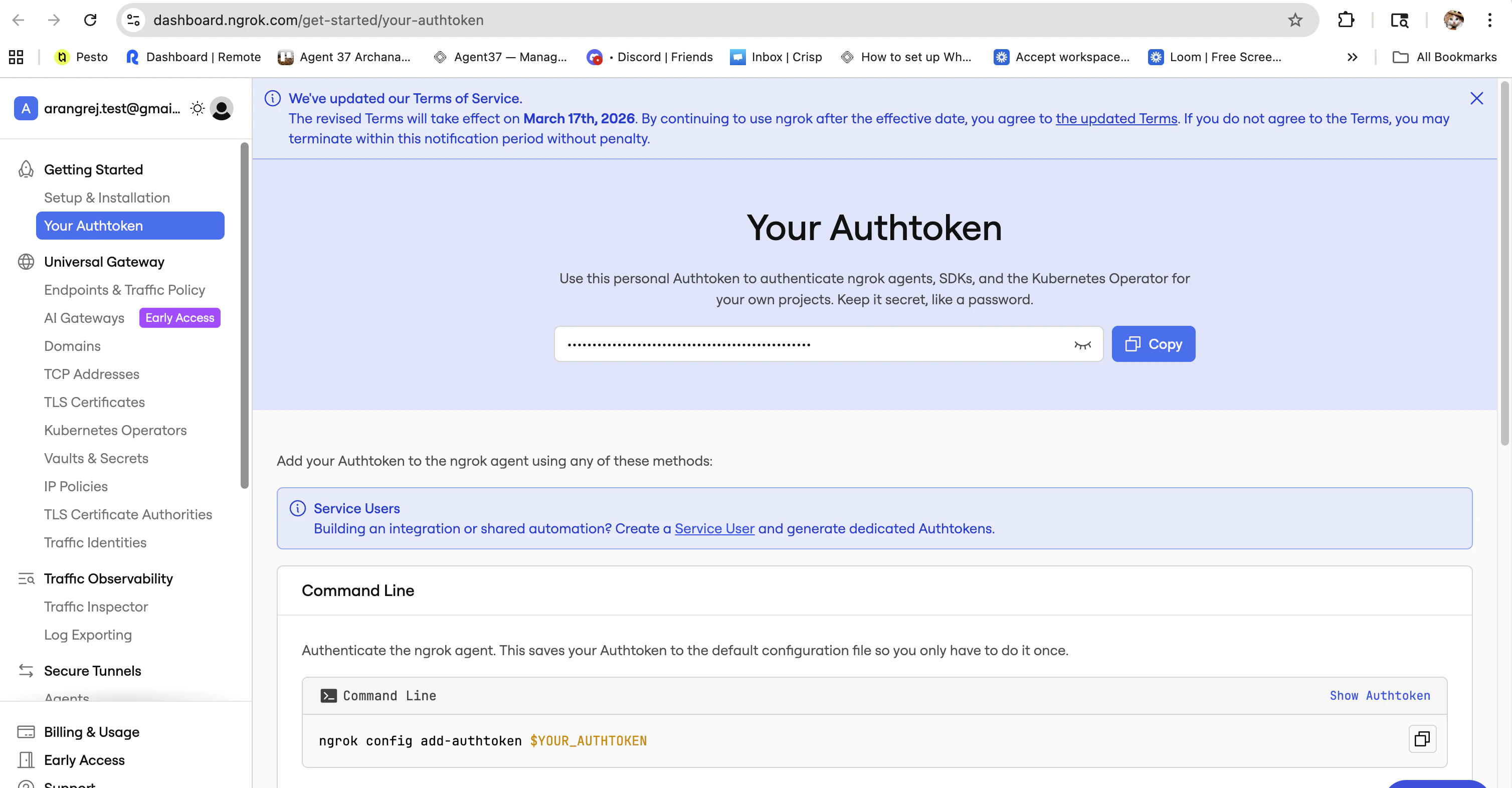 Then run:
```bash theme={null}
ngrok config add-authtoken YOUR_AUTHTOKEN
```
This connects the ngrok client inside your Agent 37 instance to your ngrok account.
## Step 3: Start an ngrok tunnel from the Agent 37 terminal
If your app runs on port `3000`, run:
```bash theme={null}
ngrok http 3000
```
If your app uses another port, replace `3000` with that port number.
ngrok will start a tunnel and show output similar to:
```text theme={null}
Forwarding https://abc123.ngrok-free.app -> http://localhost:3000
```
## Step 4: Open the public URL
Copy the `https://...ngrok...` forwarding URL and open it in your browser.
You should see the app running inside your Agent 37 instance through the ngrok URL.
Then run:
```bash theme={null}
ngrok config add-authtoken YOUR_AUTHTOKEN
```
This connects the ngrok client inside your Agent 37 instance to your ngrok account.
## Step 3: Start an ngrok tunnel from the Agent 37 terminal
If your app runs on port `3000`, run:
```bash theme={null}
ngrok http 3000
```
If your app uses another port, replace `3000` with that port number.
ngrok will start a tunnel and show output similar to:
```text theme={null}
Forwarding https://abc123.ngrok-free.app -> http://localhost:3000
```
## Step 4: Open the public URL
Copy the `https://...ngrok...` forwarding URL and open it in your browser.
You should see the app running inside your Agent 37 instance through the ngrok URL.